Menus
In WordPress, Navigation Menus consist of 2 types of entities: Menus and MenuItems.
- Menu: is the entity that groups MenuItems together.
- MenuItem: The individual items in a Menu. Each MenuItem can be a custom link, or a reference to a connected object such as a Post, Page, Category, Tag, or other entity. MenuItems can have hierarchical relationships with other MenuItems, meaning MenuItems can be nested with parent/child relationships.
Access Control
NOTE: Menus and Menu Items in WordPress are not viewable by public requests until they are assigned to a Menu Location. WPGraphQL respects this access control right, so if you are not seeing data in your queries for menus and menu items, make sure the menu is assigned to a location.
Making Menus and Menu Items public
If you want public (unauthenticated) requests to query menus and menu items that are not assigned to a menu location, there are two access checks to relax:
- The Model privacy gate, which marks a menu or menu item private when it is not assigned to a location. Override it with the
graphql_data_is_privatefilter. - The connection location restriction, which limits the
menuItemsconnection to items assigned to a location for public requests. Override it with thegraphql_menu_item_connection_restrict_to_locationsfilter.
// 1. Make Menu and MenuItem models public.
add_filter( 'graphql_data_is_private', function ( $is_private, $model_name ) {
	if ( in_array( $model_name, [ 'MenuObject', 'MenuItemObject' ], true ) ) {
		return false;
	}

	return $is_private;
}, 10, 2 );

// 2. Allow the menuItems connection to return items of menus with no assigned location.
add_filter( 'graphql_menu_item_connection_restrict_to_locations', '__return_false' );
An explicit location where arg always restricts the connection to that location and is unaffected by the second filter.
Querying Menus and Menu Items
Below are some examples of querying Menus and Menu Items
List of Menus
Below is an example query for a list of Menus and the Menu Items associated with the menu.
{
  menus {
    nodes {
      id
      databaseId
      name
      menuItems {
        edges {
          node {
            id
            label
            parentId
          }
        }
      }
    }
  }
}

Menu by ID
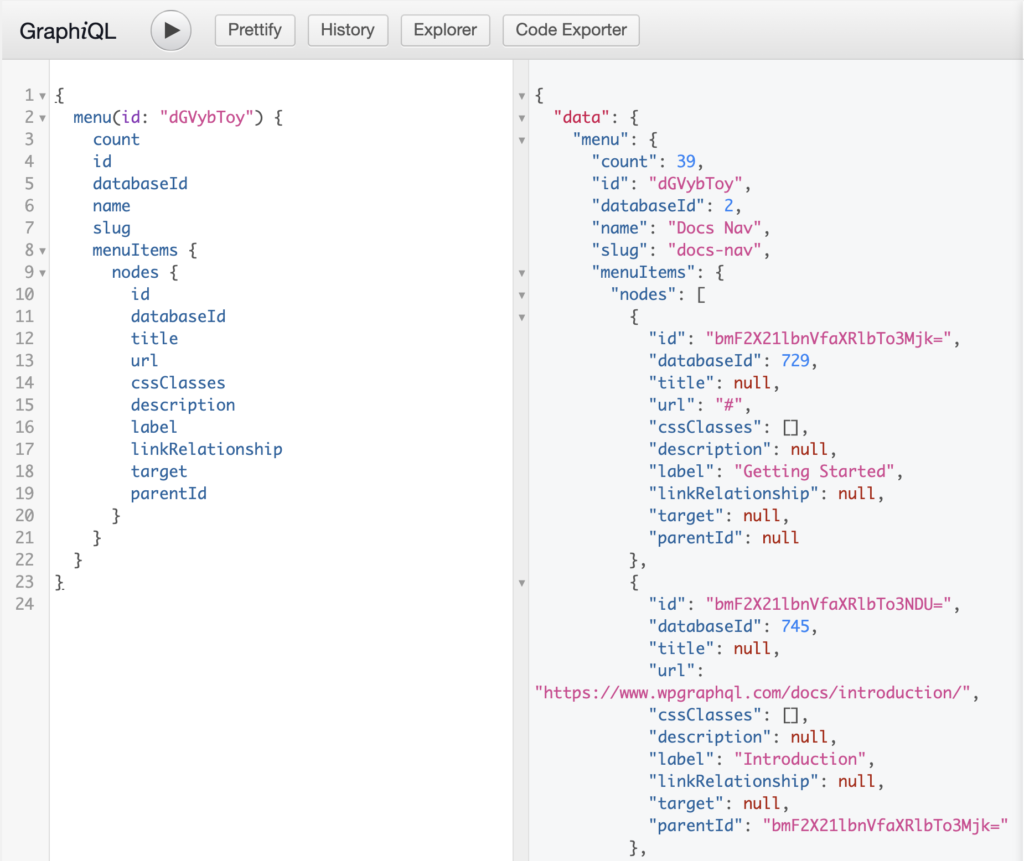
Below is an example of a GraphQL Query for a specific menu using identified by it’s Global ID.
query {
  menu {
    count
    id
    databaseId
    name
    slug
    menuItems {
      nodes {
        id
        databaseId
        title
        url
        cssClasses
        description
        label
        linkRelationship
        target
        parentId
      }
    }
  }
}
Menu by Name
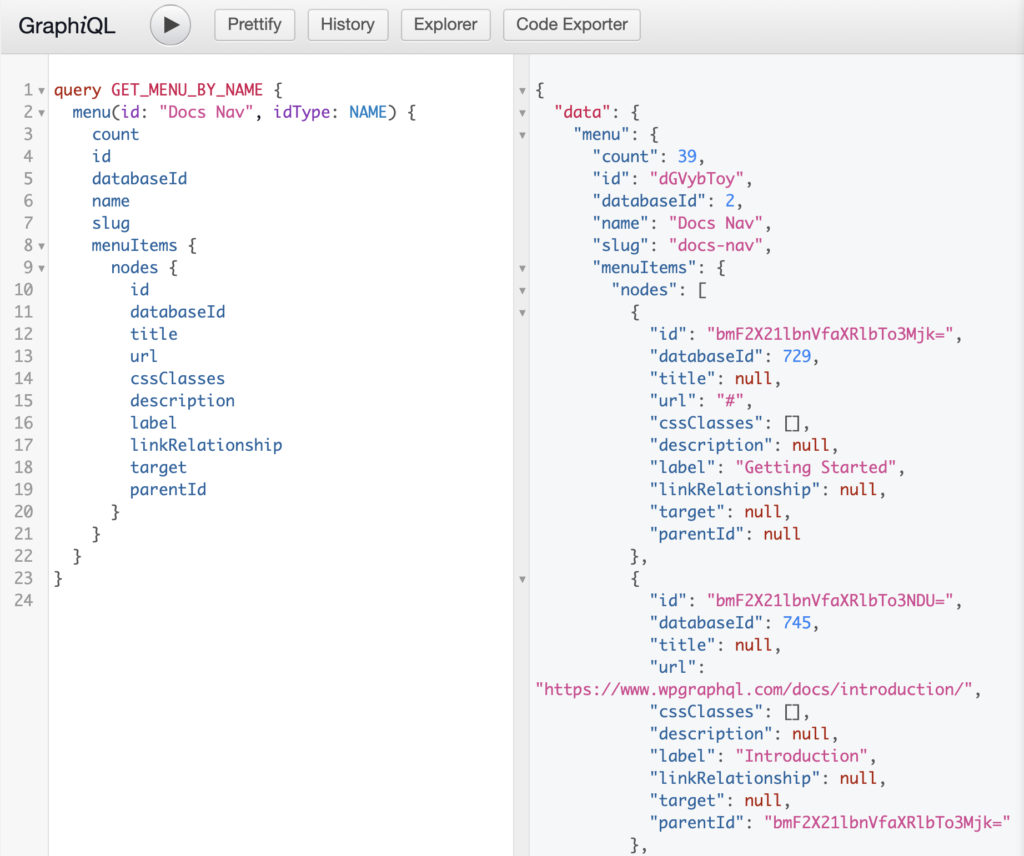
Often, it can be inconvenient to query Menus by ID. Since Menu names in WordPress are unique, the name can be used as a unique identifier and we can query for Menus by name using the idType argument like so:
query GET_MENU_BY_NAME {
  menu(id: "Docs Nav", idType: NAME) {
    count
    id
    databaseId
    name
    slug
    menuItems {
      nodes {
        id
        databaseId
        title
        url
        cssClasses
        description
        label
        linkRelationship
        target
        parentId
      }
    }
  }
}
List of Menu Items
Querying a list of Menu Items with no arguments will return Menu Items associated with any> Menu.
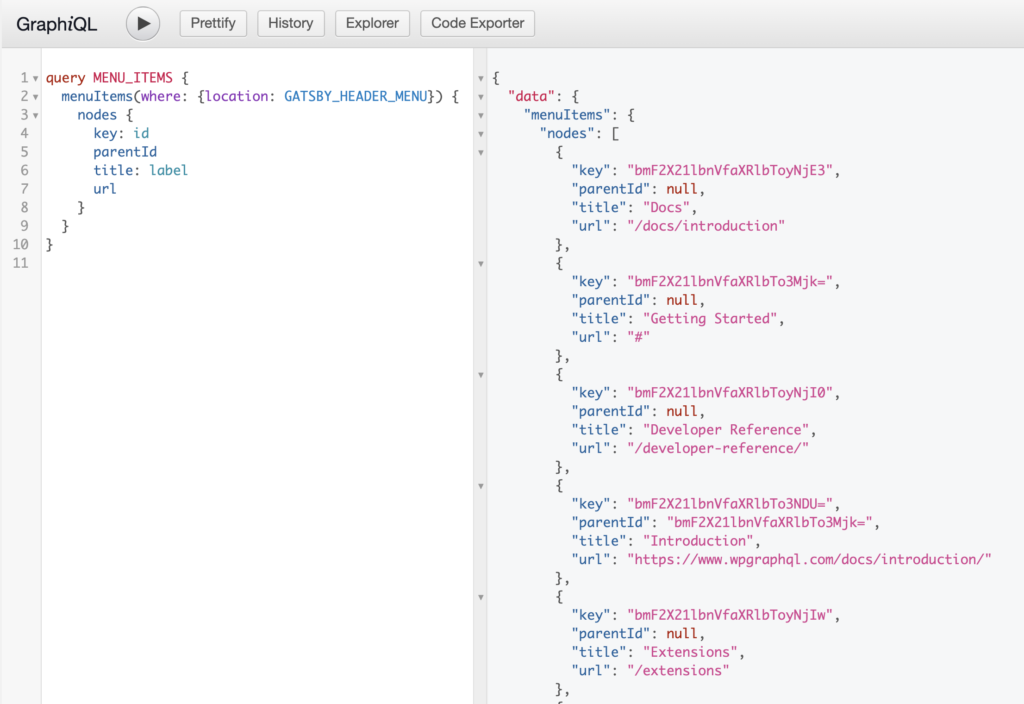
It’s likely more common that you would want to query Menu Items associated with a specific Menu Location, like so:
query MENU_ITEMS {
  menuItems(where: {location: "PRIMARY"}) {
    nodes {
      key: id
      parentId
      title: label
      url
    }
  }
}
Hierarchical Data
One thing you may have noticed is that Menu Items will be returned in a flat-list by default, meaning that hierarchical relationships such as parent, children, grand-child Menu Items, will all be returned together in a flat list.
There’s a good chance you might need to convert a flat list into a hierarchical list in the consumer application to be used in a component such as a Checkbox Tree or Dropdown Menu, for example.
You can see this technique in action in the codebase for the website you’re reading here.
Given the query above, we might have a payload of data like so:
{
  "nodes": [
    {
      "key": "bmF2X21lbnVfaXRlbTo2Mjk=",
      "parentId": null,
      "title": "Sample Page",
      "url": "http://acf2.local/sample-page/",
    },
    {
      "key": "bmF2X21lbnVfaXRlbTo2MzA=",
      "parentId": "bmF2X21lbnVfaXRlbTo2Mjk=",
      "title": "Child Page",
      "url": "http://acf2.local/sample-page/child-page/",
    },
    {
      "key": "bmF2X21lbnVfaXRlbTo2MzE=",
      "parentId": "bmF2X21lbnVfaXRlbTo2MzA=",
      "title": "Grandchild",
      "url": "http://acf2.local/sample-page/child-page/grandchild/",
    },
    {
      "key": "bmF2X21lbnVfaXRlbTo1NTE=",
      "parentId": null,
      "title": "test",
      "url": "http://acf2.local/test/",
    },
    {
      "key": "bmF2X21lbnVfaXRlbTo1NTI=",
      "parentId": null,
      "title": "Test Page",
      "url": "http://acf2.local/test-page/",
    }
  ],
}
Here we can see that there are some nodes with a null parentId value, and some that do have a parentId value.
A function like the following could be used to convert the flat list to a hierarchical list.
const flatListToHierarchical = (
    data = [],
    {idKey='key',parentKey='parentId',childrenKey='children'} = {}
) => {
    const tree = [];
    const childrenOf = {};
    data.forEach((item) => {
        const newItem = {...item};
        const { [idKey]: id, [parentKey]: parentId = 0 } = newItem;
        childrenOf[id] = childrenOf[id] || [];
        newItem[childrenKey] = childrenOf[id];
        parentId
            ? (
                childrenOf[parentId] = childrenOf[parentId] || []
            ).push(newItem)
            : tree.push(newItem);
    });
    return tree;
};
This could be used like so:
$hierarchicalList = flatListToHierarchical( data.nodes );
And the data would be transformed like so:
[
  {
    "key": "bmF2X21lbnVfaXRlbTo2Mjk=",
    "parentId": null,
    "title": "Sample Page",
    "url": "http://acf2.local/sample-page/",
    "__typename": "MenuItem",
    "children": [
      {
        "key": "bmF2X21lbnVfaXRlbTo2MzA=",
        "parentId": "bmF2X21lbnVfaXRlbTo2Mjk=",
        "title": "Child Page",
        "url": "http://acf2.local/sample-page/child-page/",
        "__typename": "MenuItem",
        "children": [
          {
            "key": "bmF2X21lbnVfaXRlbTo2MzE=",
            "parentId": "bmF2X21lbnVfaXRlbTo2MzA=",
            "title": "Grandchild",
            "url": "http://acf2.local/sample-page/child-page/grandchild/",
            "__typename": "MenuItem",
            "children": []
          }
        ]
      }
    ]
  },
  {
    "key": "bmF2X21lbnVfaXRlbTo1NTE=",
    "parentId": null,
    "title": "test",
    "url": "http://acf2.local/test/",
    "__typename": "MenuItem",
    "children": []
  },
  {
    "key": "bmF2X21lbnVfaXRlbTo1NTI=",
    "parentId": null,
    "title": "Test Page",
    "url": "http://acf2.local/test-page/",
    "__typename": "MenuItem",
    "children": []
  }
]
Mutations
WPGraphQL does not yet support mutations for menus or menu items.